
Questions? Email the team

How to become your company's AI superhero: see your own job step by step in the workbench.

Map one task and the workbench marks the steps AI can take, with a prompt for each one. It keeps the before and after on record, so you can show your boss what you changed.

About a minute to set up, and there is no password to create.

Month-End CloseAccounting · 5 steps

Mapped
  1. Reconcile the bank accountsCopilot could draft this · 1 prompt
  2. Clear the unmatched items
  3. Draft the accrual entriesCopilot could draft this · 1 prompt
  4. Review and post the entries
  5. Write the variance commentaryCopilot could draft this · 1 prompt

Prompt for Copilot

Variance Commentary Draft

You are drafting the variance commentary for this month's close. Compare this month's trial balance with last month's and flag every account that moved more than 10%.

Copilot could draftStays with a person

A month-end close, the way the workbench maps it. Copilot could draft 3 of these 5 steps, and each of those comes with a prompt you can copy.

The workbench comes out of our work with

Hi there,

Tell me if this sounds familiar.

Your company pays for an AI tool, maybe Copilot or ChatGPT, and most people tried it once and went back to working the way they always have.

You can see what it could do. Every week you watch coworkers copy numbers from one system into another and chase the same approvals. We call that robot work: any task a person repeats by hand that software should be doing.

Finding it takes time, because the steps of a task usually live in one person's head, and one task can mix steps a machine could take with steps that need someone's judgment.

We built the workbench to help you sort them. You lay out a task step by step. The workbench marks the steps AI can take and gives you a prompt for each one, written for the AI tool your company already has. It also keeps a record of the process before and after you changed it, so when your boss asks what AI has done for the team, you can show them.

The workbench comes out of our client work. At Primus Builders, the team wrote the proposal that won a $405M contract, and AI helped them search the RFP documents and check their answers before they submitted.

Thanks for taking a look. Set up your workbench and map one task. Then email me and tell me what you think.
Show your boss what you changed.

Every map keeps the before and after, phase by phase.

Example map: submittal review
PhaseBeforeAfter (planned)Prompts
Build the RegisterEngineer types the register by handEngineer reviews a drafted register1
Intake and GC ReviewEvery package checked by handPackages arrive pre-checked3
Design Team ReviewResubmits restart the cycleOne action list, so a resubmit goes once1
Approve and ReleaseStatus only when someone asksAging and lead-time risk reported weekly3

Set up your workbench.

It asks for your name, work email, and company. There is no account or password. Your details stay on this device and fill in anything you send the team.

The first map you'll see Submittal Review Workflow
  1. Intake
  2. Log Review
  3. AI Triage
  4. Auto-Route

Interactive map · 13 manual steps · 6 automation candidates

Here's what's inside.

These are screens from the workbench, filled in with the example map and a sample company.

Map a task step by step

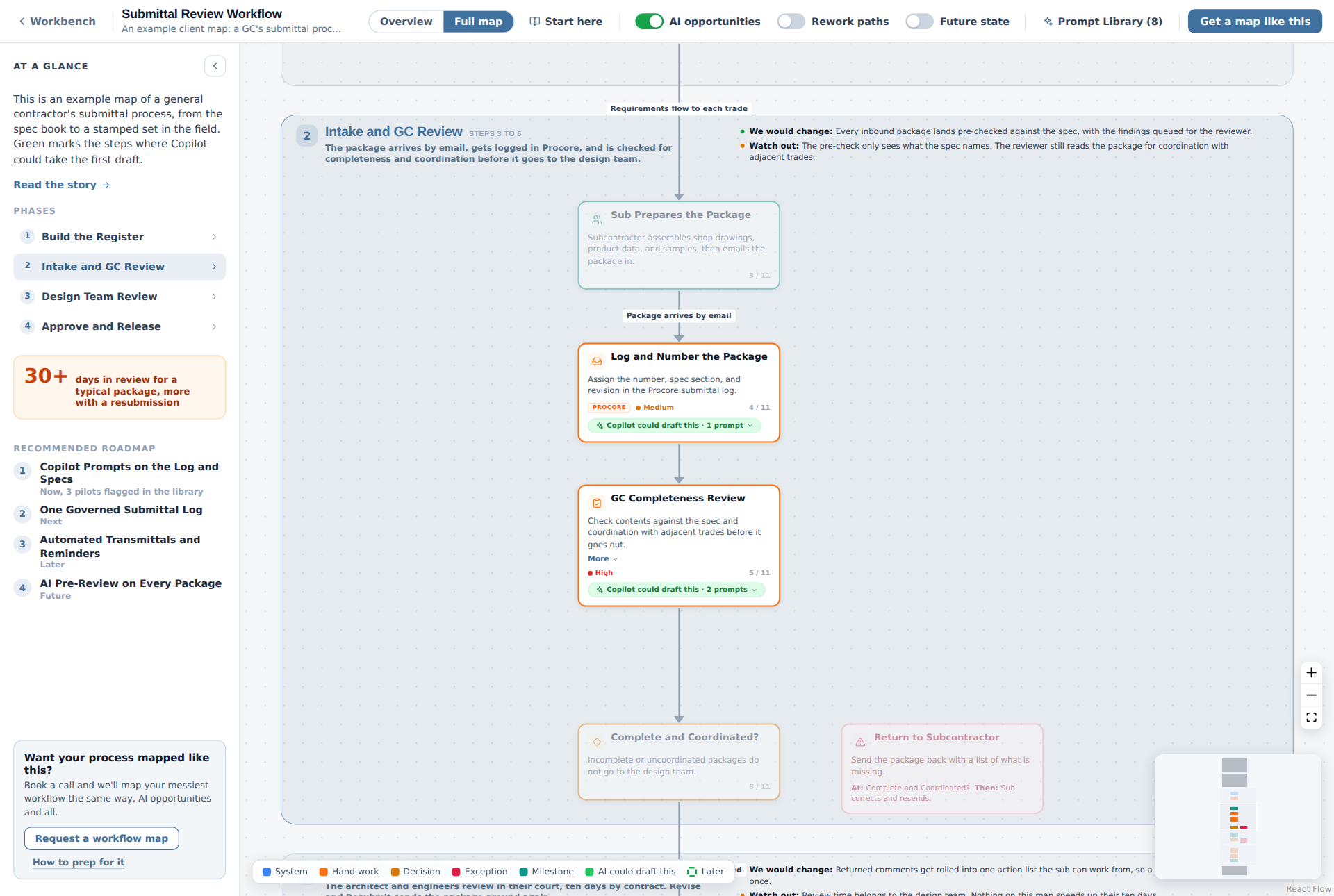
Every step of a task in order, with who does it, the system it happens in, and the Copilot prompts for the steps a machine can take. The example inside is a general contractor's submittal review, and you can drag the map around and copy any prompt.

Two steps on the submittal map, each marked Copilot could draft this, with a count of prompts

Keep score on the outcomes your boss cares about

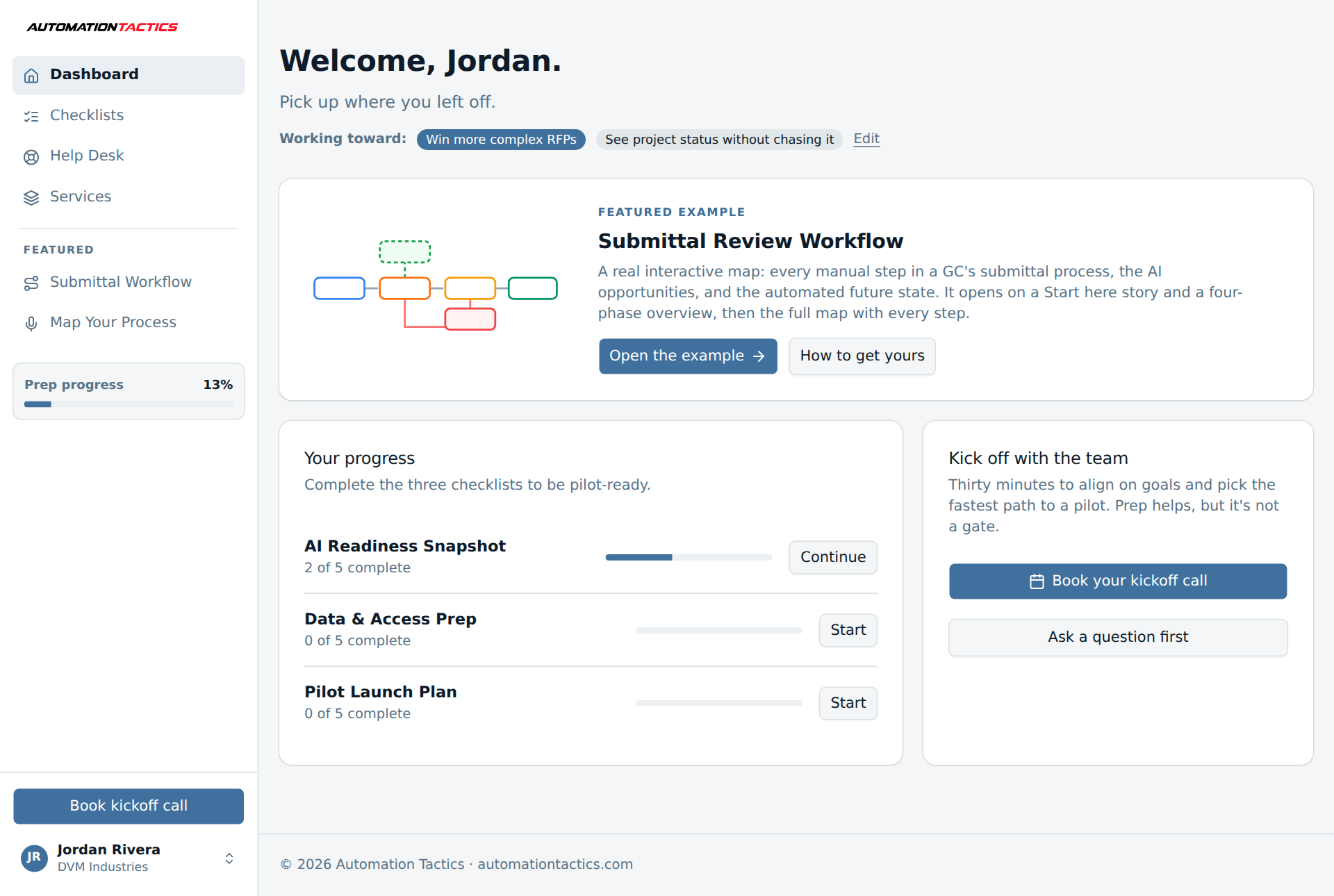
Pick the results you're after, from faster bids to fewer hours in AP, and the dashboard keeps score. That record is what you take to your manager.

The workbench dashboard with the featured example and checklist progress

Checklists that draft themselves

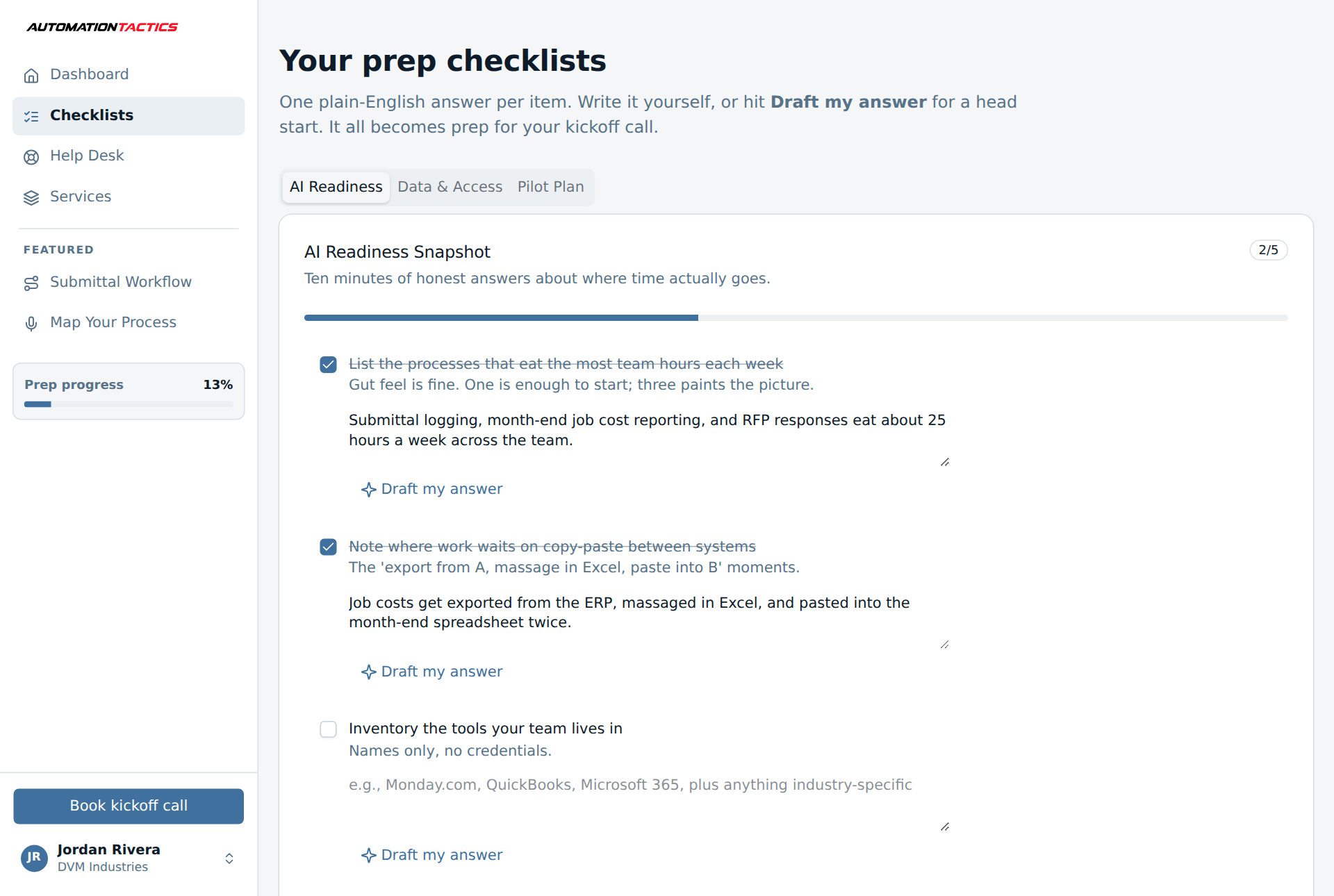
Each readiness item takes one plain-English answer. Draft my answer writes the first pass from what the workbench already knows, and you correct it.

A readiness checklist with assisted answers

What our clients said about the work.

Both quotes come from our published case studies.

“AI was instrumental in helping us quickly experiment and rate our responses before final submission.”

Rebecca Elliott, Marketing VP, Primus Builders

“Automation Tactics helped us cut through the noise and build a realistic AI strategy that actually fits our organization. They guided us in standing up internal AI champions, developing an AI governance policy, and rolling out Microsoft Copilot strategically. We now have a clear timeline, budget, and success metrics for our long-term rollout.”

Matt Hess, CEO, First Children Services

Read the case studies

The numbers from one client.

Primus Builders is a design-build construction company. These are their results after working with AutomationTactics.

$405M

Primus Builders' team wrote the winning proposal for the Hunt's Point Produce Market redevelopment in the Bronx. AI helped them search the RFP and rate their draft answers.

  • 10,000+ RFP pages made searchable, with citations
  • 15-20 hours a week back from AP processing
  • 9 AI implementations
  • 0 security incidents

Results from one AutomationTactics engagement. Read the Primus Builders case study.

Want to talk to a person first?

Book an intro call and ask us anything about the workbench, or about rolling it out at your company.

Map your first task.

Set it up now and the example map opens in about a minute.

Rolling it out across a company, or running it for clients? See the Enterprise and White label plans.